> ## Documentation Index
> Fetch the complete documentation index at: https://docs.tinykit.studio/llms.txt
> Use this file to discover all available pages before exploring further.
# AI Agent
> Prompting guide for the tinykit AI Agent.
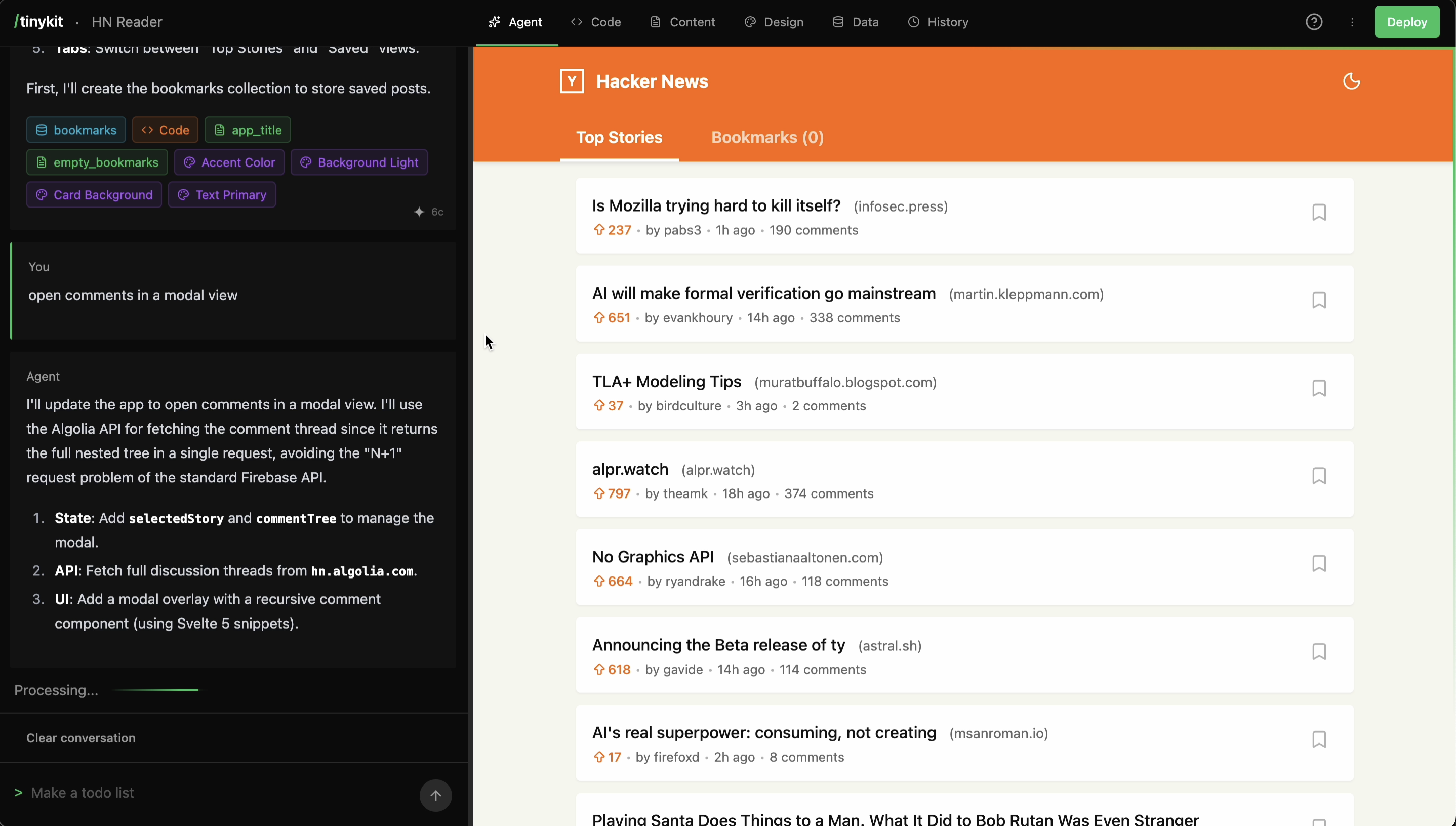
The AI Agent acts as an interface to the tinykit codebase. It interprets natural language prompts to modify app code, manage configurations, and handle database interactions.
 ## Mechanics
When a prompt is submitted:
1. **Context Loading**: The agent ingests the current `Code`, design system states, content fields, and database collections.
2. **Tool selection**: It determines which tools to execute (e.g., `write_code`, `create_collection`).
3. **Execution**: Changes are applied to the project.
4. **Refresh**: The preview pane updates.
## Prompting Strategy
Describe **what** the feature should do (behavior), rather than **how** to write the code (implementation).
* **Vague**: "Make the list better."
* **Implementation-focused**: "Create a loop using `.map()` to render `li` elements with class `item`."
* **Behavior-focused**: "Display a list of episodes where each item links to its details page."
## Tools
The agent has access to the following server-side tools:
| Tool | Function |
| :--------------------- | :--------------------------------- |
| `write_code` | Overwrites app code with new code. |
| `create_content_field` | Defines editable content fields. |
| `create_design_field` | Defines CSS variables. |
| `create_data_file` | Creates data collections. |
| `insert_records` | Seeds data into collections. |
| `update_spec` | Updates project metadata. |
## Limitations
* **Single File**: Modifications are restricted to a single `Svelte` component file.
* **CSS**: Uses semantic classes and CSS variables, not utility frameworks like Tailwind (though you can use them by prompting the agent or manually including them).
* **Runtime**: Cannot execute arbitrary shell commands or write backend logic besides `proxy` (yet).
* **Database**: At the moment, collections under the 'Data' are all stored within a single Pocketbase JSON field. In a future update, these will be replaced with actual Pocketbase collections.
## Mechanics
When a prompt is submitted:
1. **Context Loading**: The agent ingests the current `Code`, design system states, content fields, and database collections.
2. **Tool selection**: It determines which tools to execute (e.g., `write_code`, `create_collection`).
3. **Execution**: Changes are applied to the project.
4. **Refresh**: The preview pane updates.
## Prompting Strategy
Describe **what** the feature should do (behavior), rather than **how** to write the code (implementation).
* **Vague**: "Make the list better."
* **Implementation-focused**: "Create a loop using `.map()` to render `li` elements with class `item`."
* **Behavior-focused**: "Display a list of episodes where each item links to its details page."
## Tools
The agent has access to the following server-side tools:
| Tool | Function |
| :--------------------- | :--------------------------------- |
| `write_code` | Overwrites app code with new code. |
| `create_content_field` | Defines editable content fields. |
| `create_design_field` | Defines CSS variables. |
| `create_data_file` | Creates data collections. |
| `insert_records` | Seeds data into collections. |
| `update_spec` | Updates project metadata. |
## Limitations
* **Single File**: Modifications are restricted to a single `Svelte` component file.
* **CSS**: Uses semantic classes and CSS variables, not utility frameworks like Tailwind (though you can use them by prompting the agent or manually including them).
* **Runtime**: Cannot execute arbitrary shell commands or write backend logic besides `proxy` (yet).
* **Database**: At the moment, collections under the 'Data' are all stored within a single Pocketbase JSON field. In a future update, these will be replaced with actual Pocketbase collections.