> ## Documentation Index
> Fetch the complete documentation index at: https://docs.tinykit.studio/llms.txt
> Use this file to discover all available pages before exploring further.
# Features
> Overview of tinykit builder capabilities
The builder interface provides tools for code generation, manual editing, and configuration.
 ## AI Agent
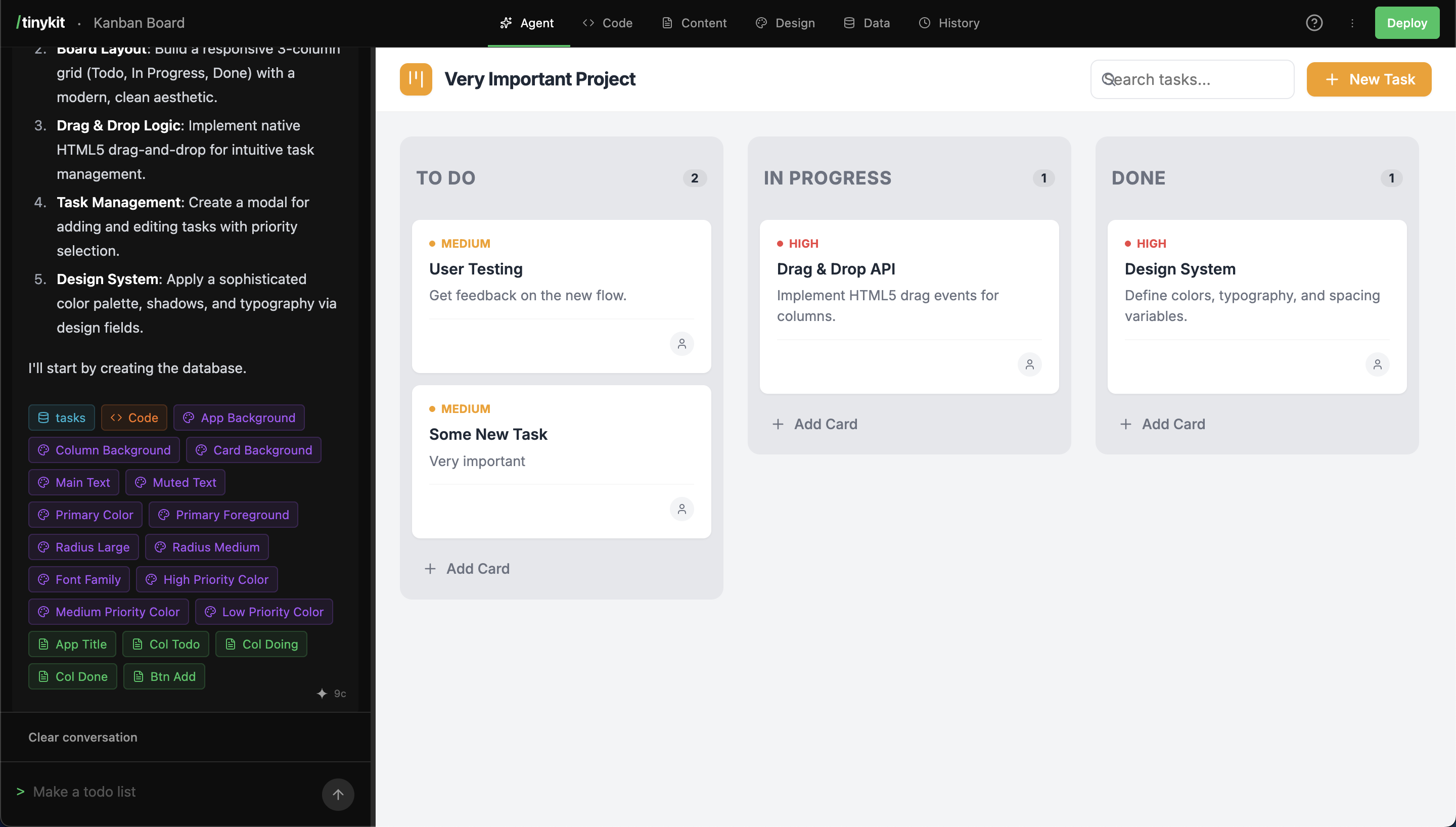
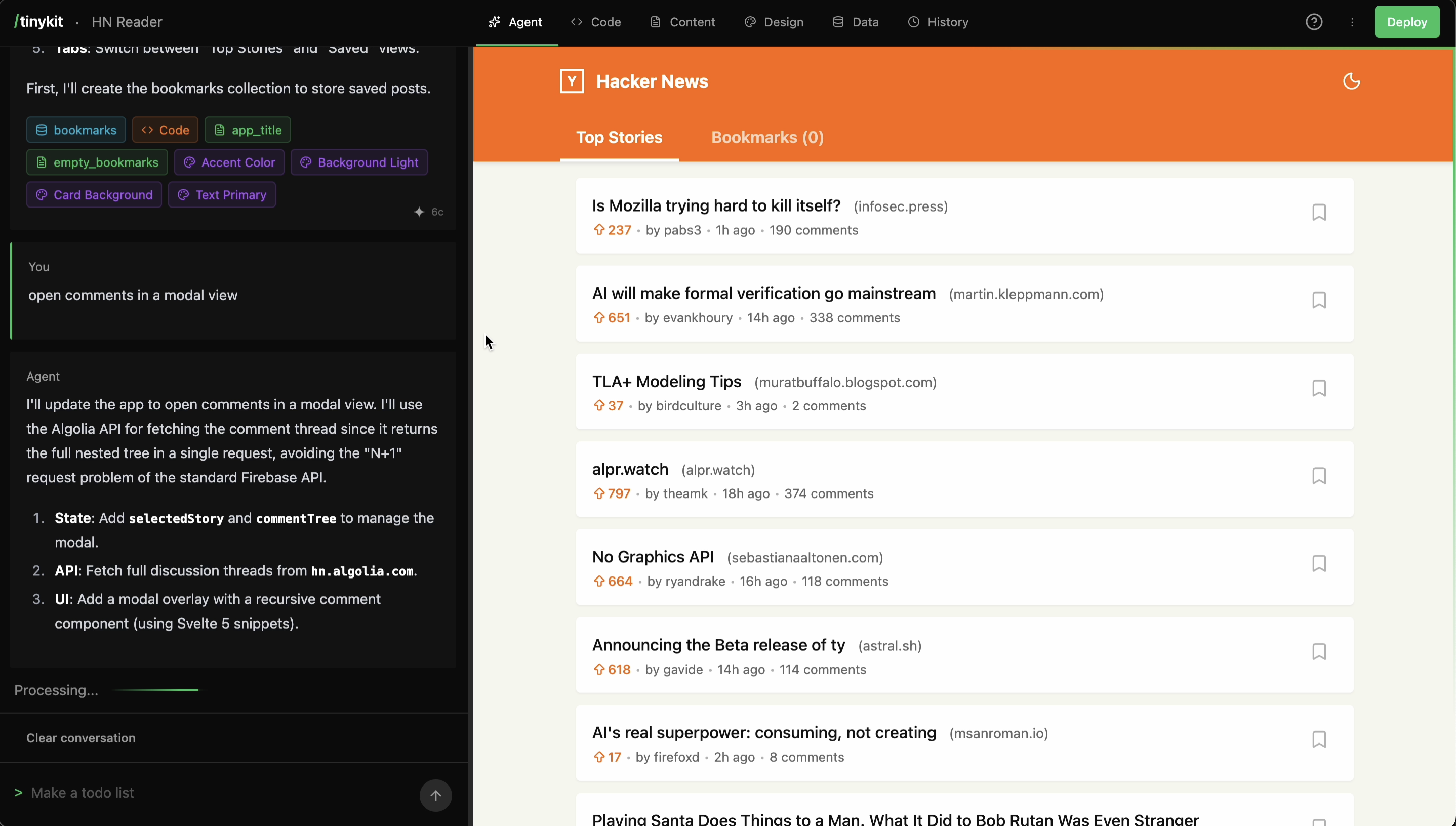
The AI Agent generates and modifies code based on natural language prompts. It accesses project context, including existing code and configuration fields, to make informed changes.
## AI Agent
The AI Agent generates and modifies code based on natural language prompts. It accesses project context, including existing code and configuration fields, to make informed changes.
 **Capabilities:**
* **Component Generation**: Creates Svelte app from descriptions.
* **Code Modification**: Updates existing files and logic.
* **Debugging**: Analyzes and fixes errors.
* **Field generation/integration**: Creates and integrates content and design fields with the app code.
* **Data Integration**: Sets up data collections and subscriptions.
## Code Editor
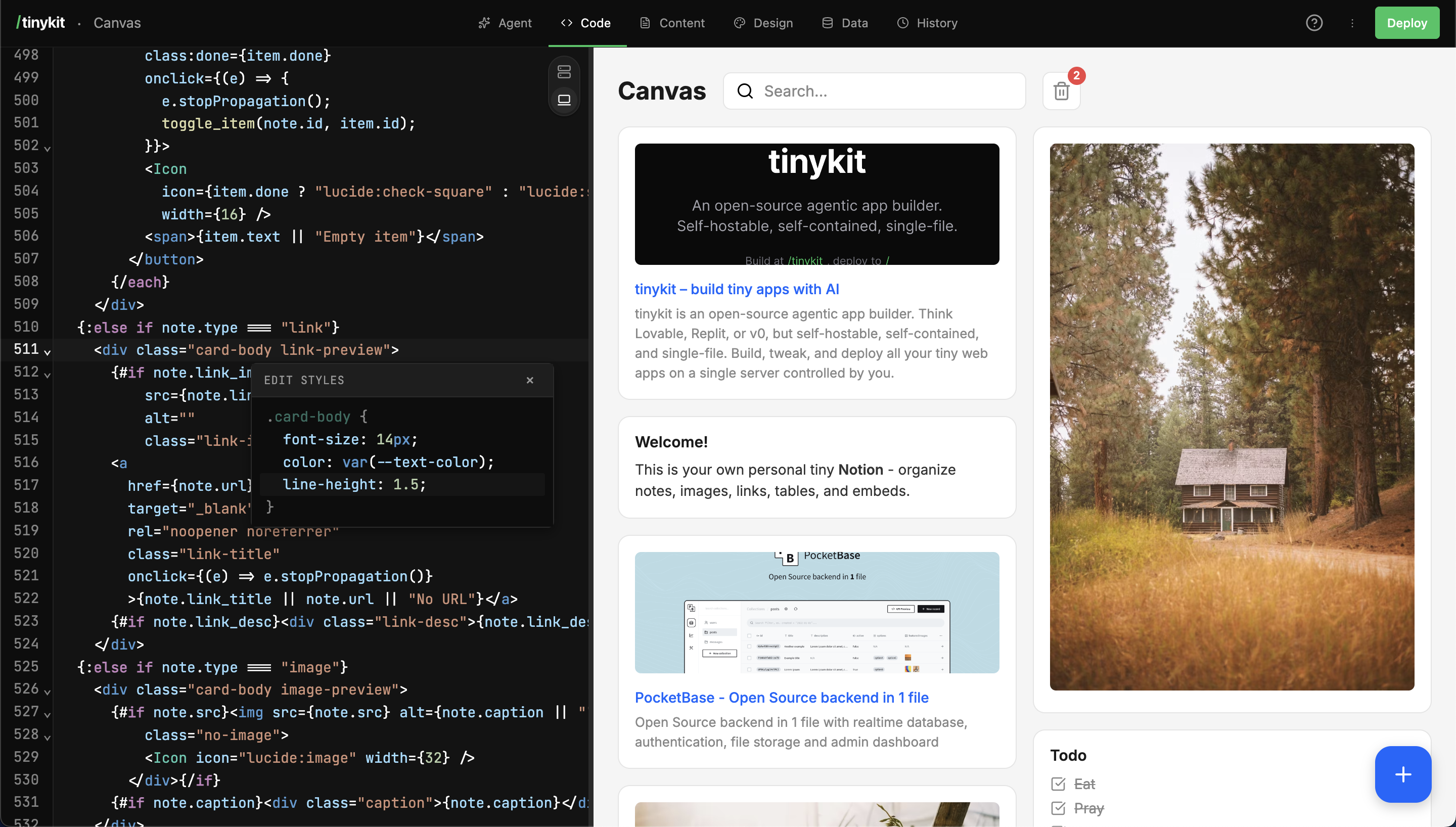
A CodeMirror 6-based editor allows for direct code manipulation.
**Capabilities:**
* **Component Generation**: Creates Svelte app from descriptions.
* **Code Modification**: Updates existing files and logic.
* **Debugging**: Analyzes and fixes errors.
* **Field generation/integration**: Creates and integrates content and design fields with the app code.
* **Data Integration**: Sets up data collections and subscriptions.
## Code Editor
A CodeMirror 6-based editor allows for direct code manipulation.
 **Features:**
* Syntax highlighting (Svelte, JS, CSS, HTML).
* Live auto-save and preview sizing.
* Standard keyboard shortcuts (Cmd+S to save, Cmd+F to find).
## Live Preview
The preview pane displays the running application in a sandboxed iframe. Changes are reflected immediately upon save or generation.
## Content Fields
Content fields decouple text content from code, allowing updates without code deployment.
**Features:**
* Syntax highlighting (Svelte, JS, CSS, HTML).
* Live auto-save and preview sizing.
* Standard keyboard shortcuts (Cmd+S to save, Cmd+F to find).
## Live Preview
The preview pane displays the running application in a sandboxed iframe. Changes are reflected immediately upon save or generation.
## Content Fields
Content fields decouple text content from code, allowing updates without code deployment.
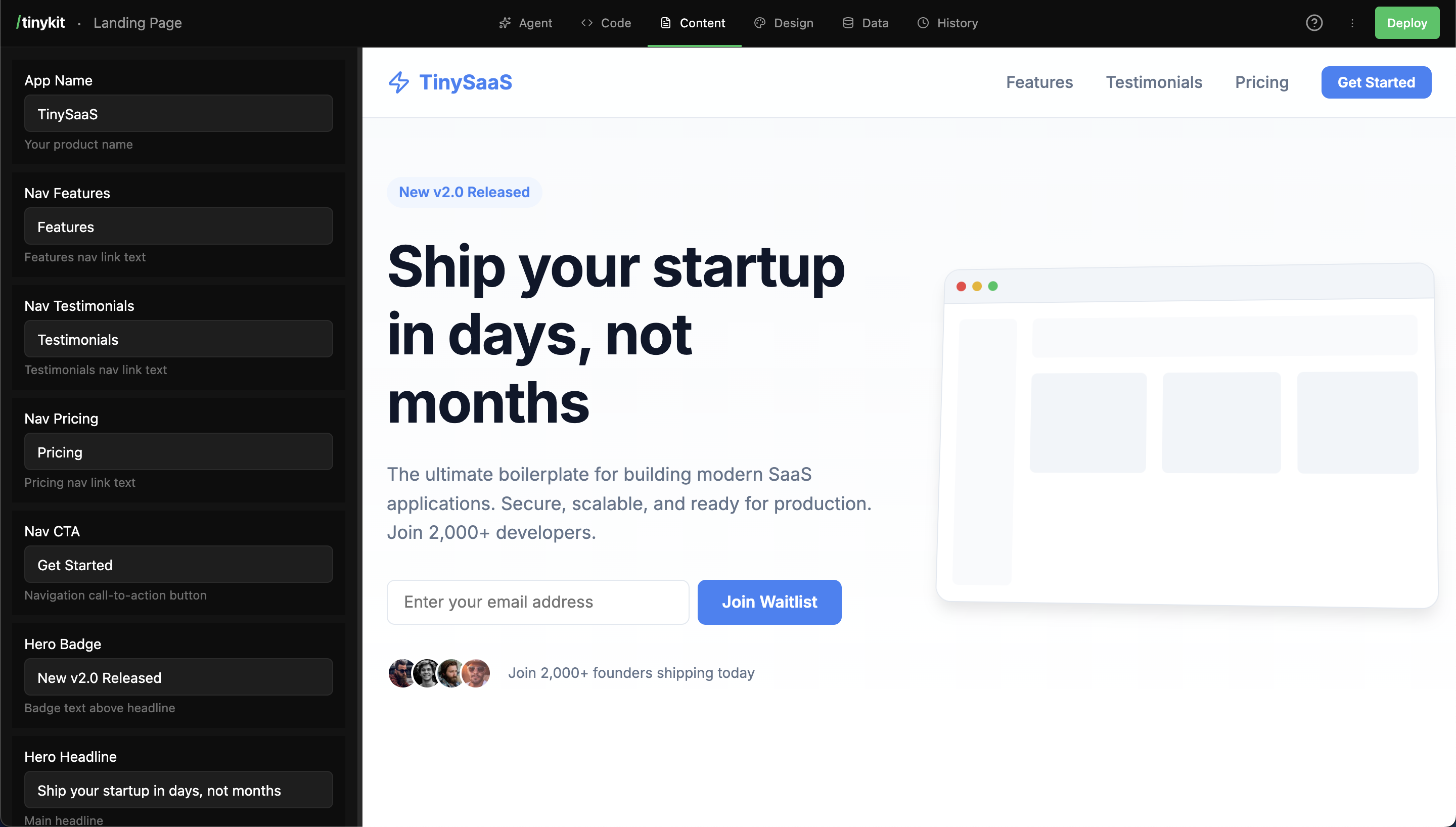 * **Usage**: Fields are referenced in code (e.g., `content.title`).
* **Types**: Text, Textarea, Number, Boolean, Image, Markdown.
## Design System
Design tokens are managed via CSS variables, accessible through the Design panel.
* **Usage**: Fields are referenced in code (e.g., `content.title`).
* **Types**: Text, Textarea, Number, Boolean, Image, Markdown.
## Design System
Design tokens are managed via CSS variables, accessible through the Design panel.
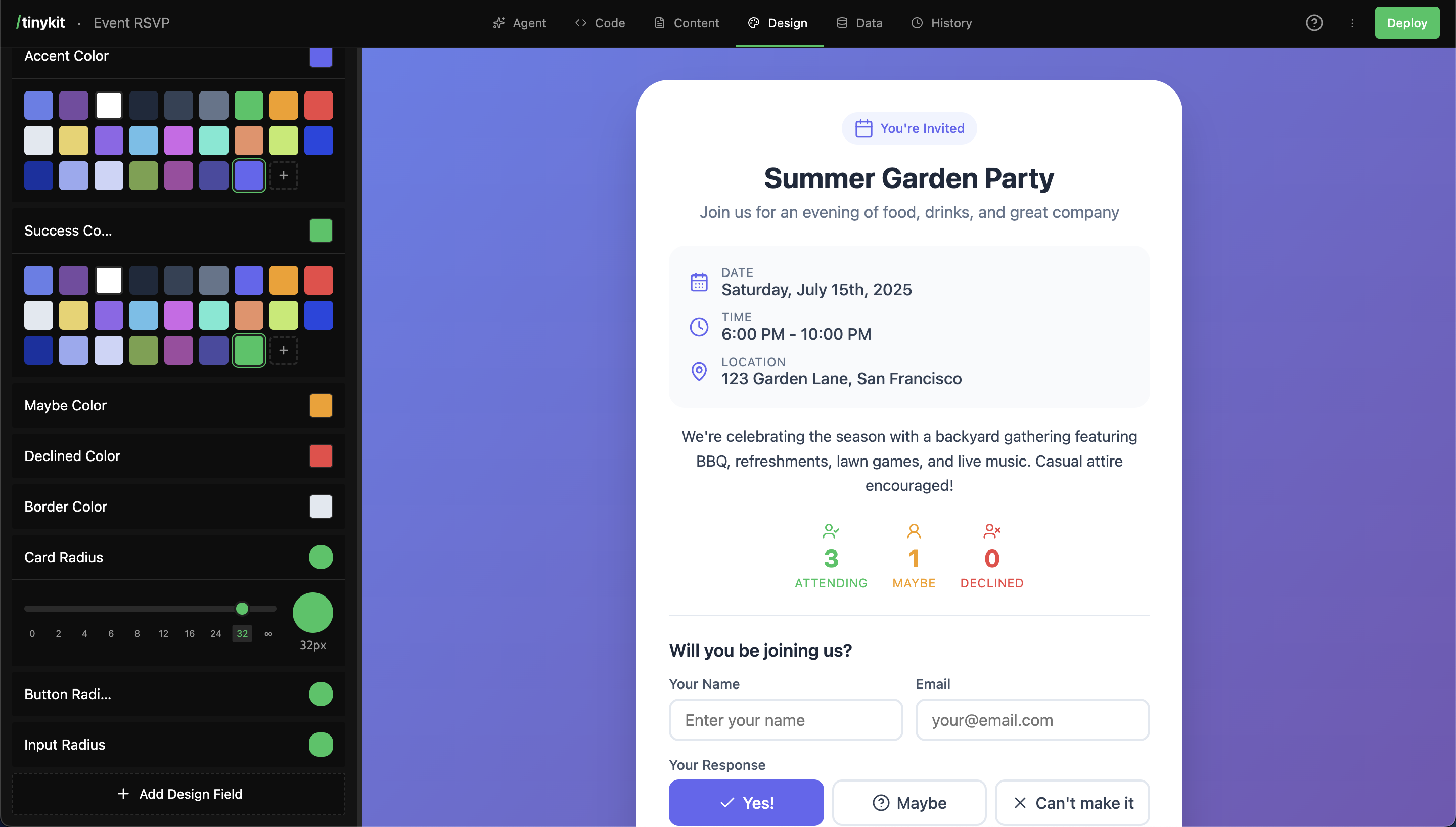 * **Usage**: Variables are used in CSS (e.g., `var(--color-primary)`).
* **Types**: Color, Font, Size, Radius, Shadow.
## Database
A built-in PocketBase instance manages data persistence.
* **Usage**: Variables are used in CSS (e.g., `var(--color-primary)`).
* **Types**: Color, Font, Size, Radius, Shadow.
## Database
A built-in PocketBase instance manages data persistence.
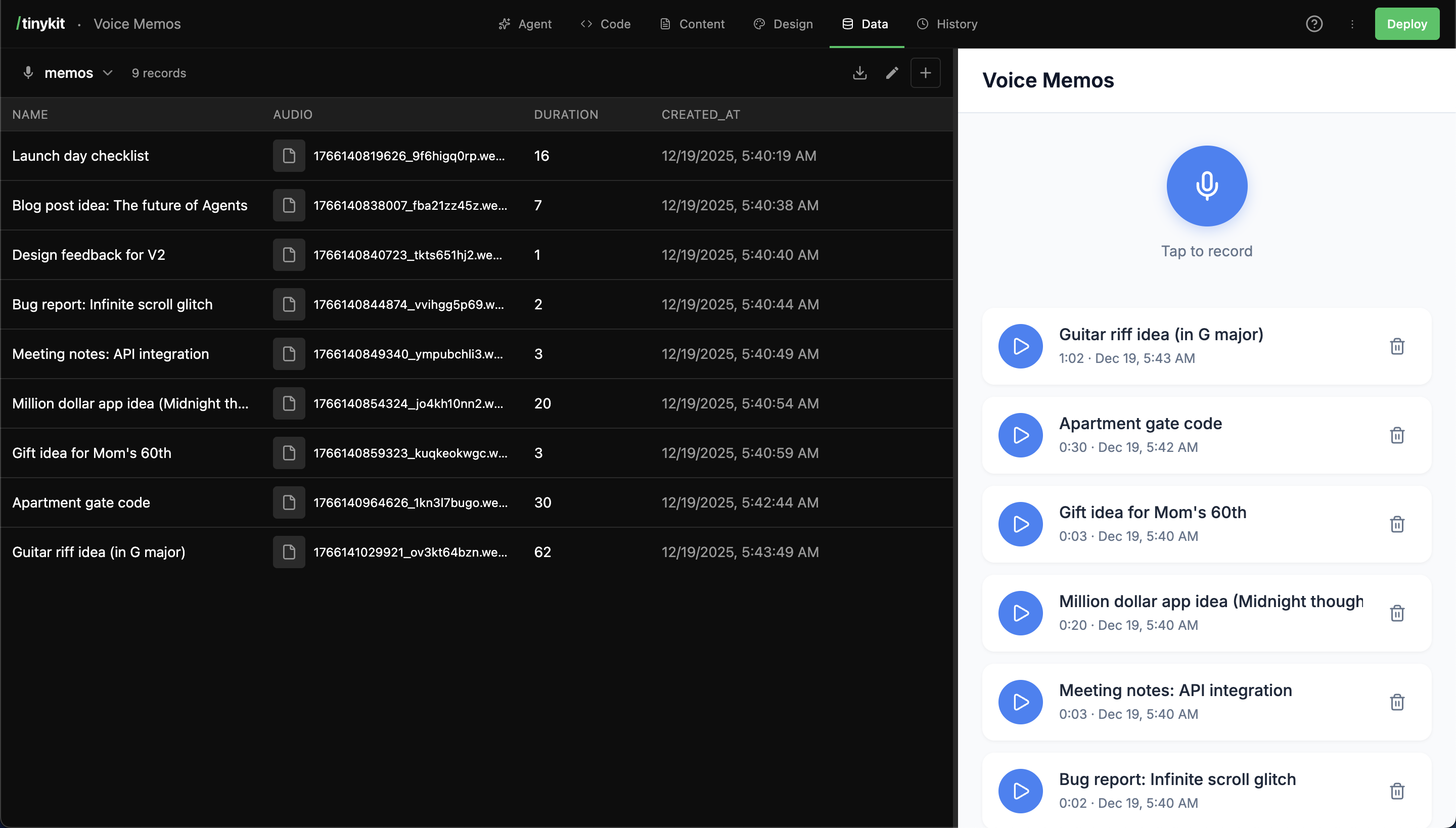 * **Integration**: Local PocketBase instance running alongside the app.
* **Access**: Admin UI available at `/_pb/_`.
* **Realtime**: App data subscriptions set up automatically by the agent.
## Snapshots
The system automatically creates snapshots for every AI generation iteration. Users can also manually create snapshots to version the state.
## Multi-App Routing
tinykit supports serving multiple applications from a single instance using domain-based routing.
**How it works:**
```
recipes.yourserver.com/ → Serves recipe app
recipes.yourserver.com/tinykit → Edit recipe app
blog.yourserver.com/ → Serves blog app
blog.yourserver.com/tinykit → Edit blog app
calculator.yourserver.com/ → Serves calculator app
...
```
Point any domain to your tinykit server, and it automatically serves the right app.
***
## Starter Templates
14 templates included to jumpstart your projects:
| Category | Templates |
| ---------------- | ---------------------------------- |
| **Productivity** | Kanban, Notes, Canvas, Timer |
| **Finance** | Expense tracker, Invoice generator |
| **Content** | Bookmarks, Recipes |
| **Social** | Linktree, Poll, Event RSVP |
| **Business** | Client CRM |
| **News** | HN reader, RSS reader |
Or start from scratch and let AI build exactly what you need.
* **Integration**: Local PocketBase instance running alongside the app.
* **Access**: Admin UI available at `/_pb/_`.
* **Realtime**: App data subscriptions set up automatically by the agent.
## Snapshots
The system automatically creates snapshots for every AI generation iteration. Users can also manually create snapshots to version the state.
## Multi-App Routing
tinykit supports serving multiple applications from a single instance using domain-based routing.
**How it works:**
```
recipes.yourserver.com/ → Serves recipe app
recipes.yourserver.com/tinykit → Edit recipe app
blog.yourserver.com/ → Serves blog app
blog.yourserver.com/tinykit → Edit blog app
calculator.yourserver.com/ → Serves calculator app
...
```
Point any domain to your tinykit server, and it automatically serves the right app.
***
## Starter Templates
14 templates included to jumpstart your projects:
| Category | Templates |
| ---------------- | ---------------------------------- |
| **Productivity** | Kanban, Notes, Canvas, Timer |
| **Finance** | Expense tracker, Invoice generator |
| **Content** | Bookmarks, Recipes |
| **Social** | Linktree, Poll, Event RSVP |
| **Business** | Client CRM |
| **News** | HN reader, RSS reader |
Or start from scratch and let AI build exactly what you need.